Workflow History
Overview
Every step that is performed by the workflow engine against a job is logged and recorded into the workflow history. This is useful to keep track of what has happened, who did it, and when. It is also useful to step-through the history to see the sequence of events that occurred.
Use
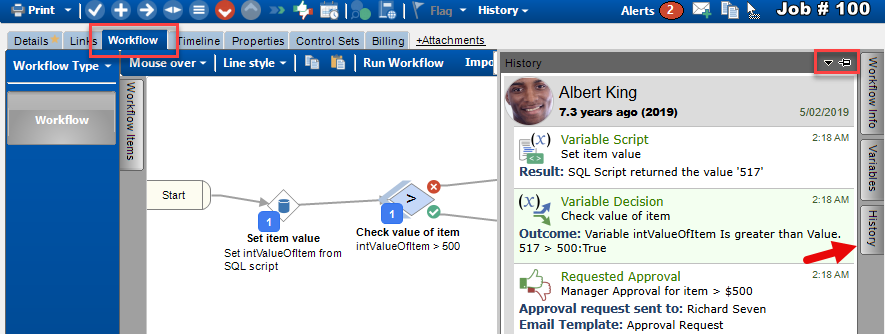
The workflow history is located on the workflow tab, on the right-hand side. Hover over the docked panel to display it, and use the “pin” icon to keep it open.
If you click on the individual workflow items in the workflow canvas, the corresponding history log will be highlighted. Conversely, if you click on an item in the history list, the corresponding workflow item will be highlighted.
See also
Feedback
Was this page helpful?
Glad to hear it! Please tell us how we can improve.
Sorry to hear that. Please tell us how we can improve.